Hyperautomation: The Enterprise Efficiency Revolution Combining ERP, RPA, and AI
"We've implemented ERP and use RPA bots, but why do we still have so much manual work?" This question puzzles many companies that have already started their digital transformation journey. The answer: no single technology solves everything—you need Hyperautomation.
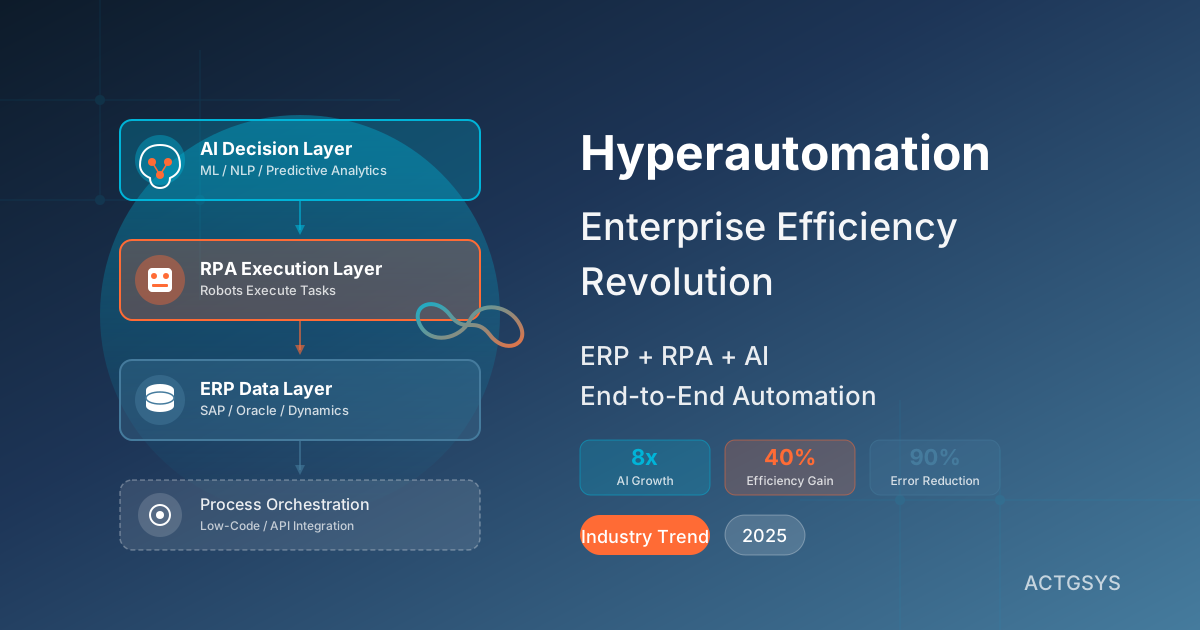
In 2025, Gartner predicts AI-driven workflows will grow from 3% to 25% of enterprise processes—an eight-fold increase powered by the rise of Hyperautomation.
What is Hyperautomation?
Hyperautomation combines multiple automation technologies—including RPA (Robotic Process Automation), AI/ML (Artificial Intelligence/Machine Learning), Low-Code Platforms, and Process Mining—to achieve end-to-end enterprise process automation.
The key difference:
| Traditional Automation | Hyperautomation |
|---|---|
| Automates single tasks | Automates complete processes |
| Follows fixed rules | AI makes dynamic decisions |
| Requires structured data | Can process unstructured data |
| Systems work independently | Cross-system coordination |
| Humans handle exceptions | AI handles most exceptions |
The Hyperautomation Technology Stack
┌─────────────────────────────────────────┐
│           AI Decision Layer             │
│  (ML, NLP, Computer Vision, Predictive  │
│   Analytics)                            │
├─────────────────────────────────────────┤
│           RPA Execution Layer           │
│  (UiPath, Automation Anywhere, Power    │
│   Automate robots executing tasks)      │
├─────────────────────────────────────────┤
│           ERP/CRM Data Layer            │
│  (SAP, Oracle, Dynamics 365, Odoo)      │
├─────────────────────────────────────────┤
│           Process Orchestration Layer   │
│  (Low-Code Platforms, Process Engines,  │
│   API Integration)                      │
└─────────────────────────────────────────┘
Why 2025 is the Year of Hyperautomation
Driver 1: AI Agent Technology Matures
In 2025, AI Agents have moved from concept to practical implementation. Unlike ChatGPT that only answers questions, AI Agents can:
- Proactively monitor: Continuously observe business metrics and detect anomalies
- Make autonomous decisions: Choose optimal actions based on context
- Execute across systems: Simultaneously operate ERP, CRM, and financial systems
- Learn and optimize: Improve from each execution result
Driver 2: ERP Platforms Natively Integrate AI
Major ERP vendors are deeply integrating AI:
- SAP Joule: New Agentic AI framework with task-specific agents working collaboratively
- Oracle AI Agent Studio: Build AI agents across applications
- Microsoft Copilot: Built into Dynamics 365 for automated documentation and decision support
Driver 3: Manufacturing Validates Benefits
According to industry reports, manufacturers implementing AI-enhanced ERP have achieved:
- 30-40% production efficiency increase
- 25% inventory turnover optimization
- 60% reduction in production scheduling time
These numbers give hesitant companies confidence.
Three Key Hyperautomation Application Scenarios
Scenario 1: Intelligent Procurement and Supply Chain
Traditional Process Pain Points:
- Manual inventory checking → Discover shortages
- Requisition form filling → Manager approval
- Quote comparison → Supplier selection
- Send purchase order → Track delivery
Hyperautomation Upgrade:
[AI Prediction Model] Analyzes sales trends + seasonal factors
        ↓
[ERP Inventory Module] Auto-calculates reorder quantity
        ↓
[RPA Robot] Auto-requests quotes and compares supplier offers
        ↓
[AI Decision Engine] Selects optimal supplier (considering price, quality, lead time)
        ↓
[Automated Process] Sends PO + Updates ERP + Notifies stakeholders
        ↓
[AI Monitoring] Tracks delivery status, auto-alerts on anomalies
Benefits:
- Procurement cycle: 5 days → 4 hours
- Stockout rate reduced 60%
- Procurement costs saved 15% (via AI-optimized vendor selection)
Scenario 2: Intelligent Accounts Receivable Management
Traditional Process Pain Points:
- Manually generate statements
- Send to customers individually
- Track payment status
- Manual collection follow-up
- Delayed AR reporting
Hyperautomation Upgrade:
[ERP Accounting Module] Auto-generates AR list
        ↓
[AI Analysis] Predicts collection probability for each invoice
        ↓
[RPA Robot] Auto-generates and sends statements
        ↓
[AI Agent] Monitors payment status, triggers collection workflow on overdue
        ↓
[AI Writing] Personalized collection letters (tone adjusted by customer type)
        ↓
[Dashboard] Real-time aging analysis and cash flow forecasting
Benefits:
- Days Sales Outstanding reduced 20%
- Bad debt rate reduced 35%
- Finance staff focus on high-value analysis
Scenario 3: Intelligent Customer Service
Traditional Process Pain Points:
- Customer calls/emails about order status
- Agent logs into ERP to check
- Manually replies to customer
- If issues exist, create ticket for tracking
Hyperautomation Upgrade:
[AI Chatbot] 24/7 receives customer inquiries
        ↓
[NLP Processing] Understands customer intent (check order/ask pricing/report issue)
        ↓
[API Integration] Real-time queries ERP for order, inventory, logistics info
        ↓
[AI Generation] Composes personalized response
        ↓
[Conditional Routing] Complex issues → Route to human + Auto-create CRM ticket
        ↓
[AI Tracking] Auto-sends satisfaction survey after issue resolution
Benefits:
- Simple issues 70% auto-resolution rate
- Average response time: 2 hours → 30 seconds
- Agents focus on handling complex issues
5 Phases of Hyperautomation Implementation
Phase 1: Process Inventory and Analysis (1-2 months)
Goal: Identify processes best suited for automation
Methods:
- Interview departments about daily operations
- Use process mining tools to analyze actual execution paths
- Evaluate automation ROI for each process
Outputs:
- Process list and prioritization
- Expected benefits assessment
Phase 2: Infrastructure Preparation (1-3 months)
Goal: Ensure systems are accessible for automation tools
Work Items:
- ERP/CRM API exposure and documentation
- Data quality review and cleanup
- Permissions and security policy definition
Phase 3: RPA Robot Deployment (2-4 months)
Goal: Automate rule-based repetitive work
Typical Cases:
- Daily report generation and distribution
- Data migration and format conversion
- Inter-system data synchronization
Tool Options:
- UiPath: Full-featured, suitable for large enterprises
- Power Automate: Excellent Microsoft ecosystem integration
- Automation Anywhere: Cloud-native, highly flexible
Phase 4: AI Decision Layer Integration (3-6 months)
Goal: Let AI handle tasks requiring judgment
Implementation Focus:
- Machine learning model training (requires historical data)
- Decision logic design and validation
- Human-AI collaboration process design
Phase 5: Continuous Optimization and Expansion (Ongoing)
Goal: Expand from successful cases to more processes
Key Metrics to Track:
- Automation coverage rate
- Exception handling ratio
- Actual vs expected benefits
How Can SMEs Get Started?
For resource-constrained SMEs, we recommend a "small steps, fast runs" strategy:
Step 1: Start with AI Features in Existing Tools
If you already use:
- Microsoft 365 → Enable Power Automate + Copilot
- Google Workspace → Use AppSheet + Gemini
- Zoho/HubSpot → Explore built-in AI features
Step 2: Choose One High-Value Process for Pilot
Ideal pilot process characteristics:
- Executed 20+ times per month
- Takes 30+ minutes each time
- Relatively clear rules
- Controllable impact if errors occur
Step 3: Leverage No-Code/Low-Code Tools
No need to hire developers:
- Zapier/Make connects cloud applications
- Microsoft Power Platform integrates enterprise systems
- Bubble/Retool builds custom applications
Step 4: Seek Professional Consulting Help
Professional consultants can:
- Accelerate implementation timeline
- Avoid common pitfalls
- Design optimized architecture
- Train internal personnel
FAQ
Q1: What budget is needed for Hyperautomation implementation?
Varies by scale:
- Small pilot: $5,000-$20,000 USD (using cloud tools)
- Medium project: $50,000-$150,000 USD
- Enterprise-grade: $200,000+ USD
Recommend starting with small pilots, validating ROI before expanding investment.
Q2: Can our existing ERP integrate?
Almost all mainstream ERPs can:
- SAP, Oracle: Complete APIs and RPA connectors
- Odoo, ERPNext: Open-source systems easier to integrate
- Dinkoko ERP: Supports API integration and automation extensions
Key is confirming ERP has open APIs or supports RPA connections.
Q3: What if AI makes wrong decisions?
Risk Control Mechanisms:
- Set up human review nodes initially
- Define automation limits for amount/impact scope
- Build anomaly alert mechanisms
- Regularly review AI decision quality
- Maintain human intervention channels
Q4: Will this replace employees?
Hyperautomation is more about "augmenting" than "replacing":
- Repetitive work handled by machines
- Employees shift to higher-value work (analysis, decisions, relationships)
- Companies need new skills: process design, AI training, exception handling
Q5: How soon can we see benefits?
Typical timeline:
- 1-3 months: First RPA bots go live, efficiency gains visible
- 6-12 months: AI decisions start delivering value
- 12-24 months: End-to-end process automation complete
Conclusion: It's Not "Whether to," But "How Fast to Start"
Hyperautomation is no longer a future vision—it's happening now. Research shows 84% of enterprises already use Low-Code/No-Code tools, while AI-driven process automation is growing eight-fold.
For SMEs still watching from the sidelines, the question isn't "whether to implement," but:
- How far ahead are your competitors already?
- How much time is wasted daily on manual work?
- What's the cost of missing this transformation wave?
Start now, with one small process, and gradually build your Hyperautomation capabilities.
Want to learn how to plan a Hyperautomation roadmap for your enterprise? ACTGSYS offers complete consulting services for ERP/CRM implementation, AI integration, and process automation. Contact us to help you begin your Hyperautomation journey.
Related Articles
DeepSeek Open Source AI: How Enterprises Can Leverage Cost Savings and Data Control
In-depth analysis of DeepSeek's open-source AI impact on enterprises, comparing cost-effectiveness of open vs closed source solutions, and how SMEs can leverage open-source AI for cost reduction and data sovereignty.
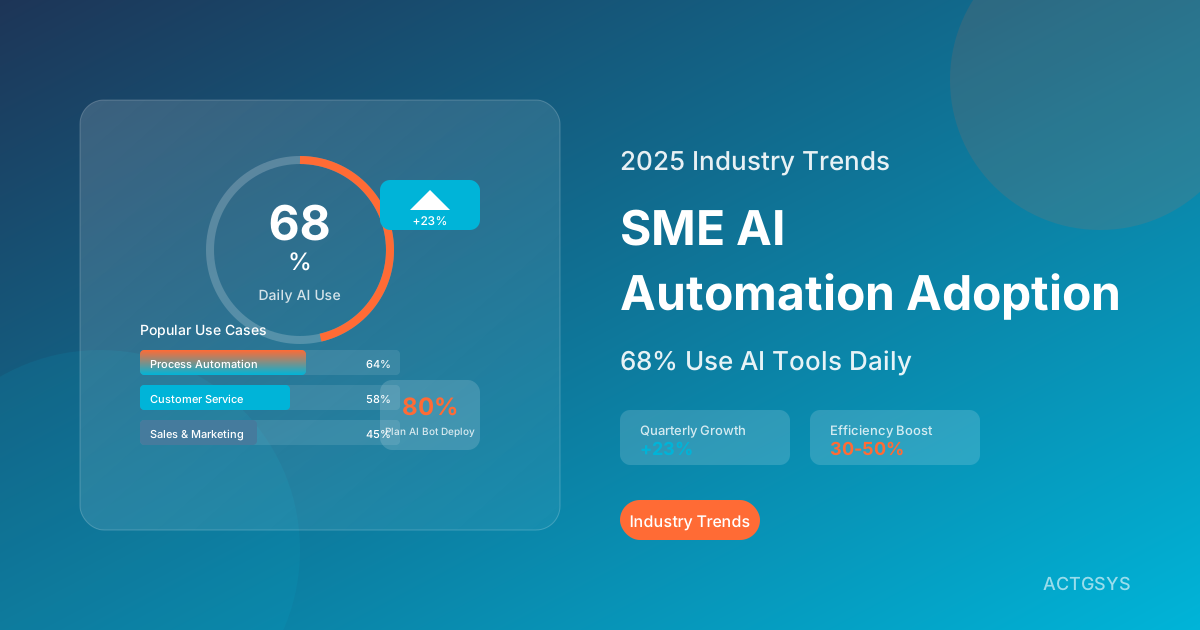
2025 SME AI Automation Adoption: 68% Now Use AI Tools Daily
Latest survey shows 68% of SMEs use AI automation tools daily, a 23% quarterly increase. In-depth analysis of popular AI applications, budget allocation, success factors, and AI adoption strategies for SMEs.
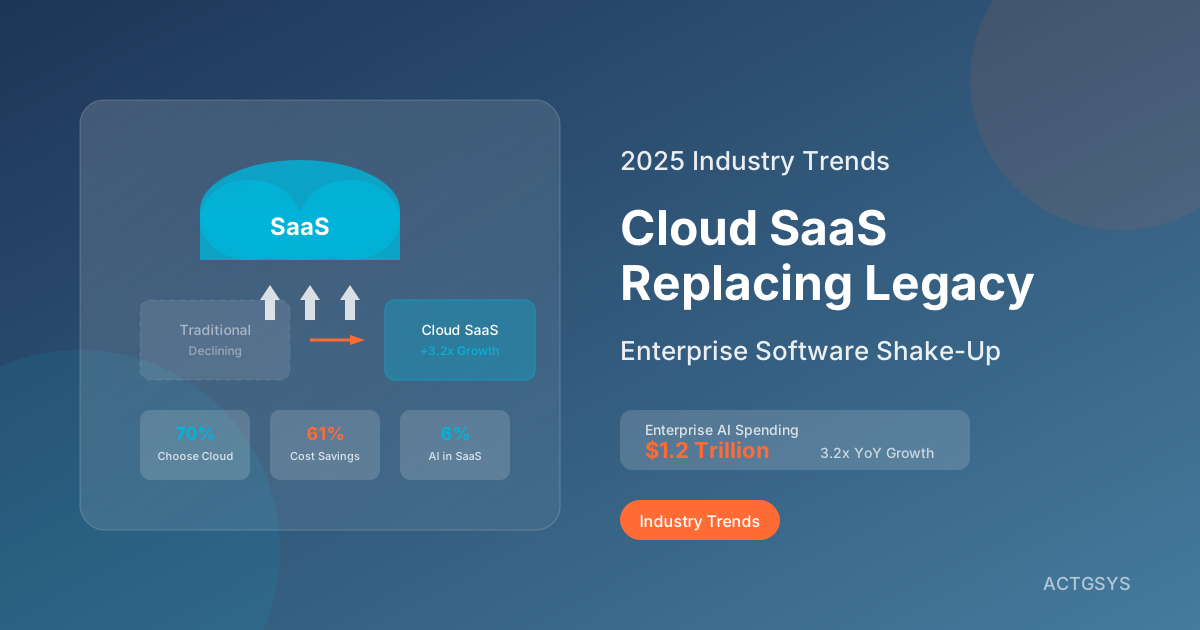
Cloud SaaS Completely Replacing Traditional Software? 2025 Enterprise Software Market Shake-Up
In-depth analysis of cloud SaaS impact on traditional enterprise software in 2025. From ERP, CRM to accounting systems, understand the NT$1.2 trillion AI revolution in enterprise software market and how SMEs should respond to this transformation wave.