How to Integrate CRM, ERP, and Accounting Systems: Complete SME Integration Guide
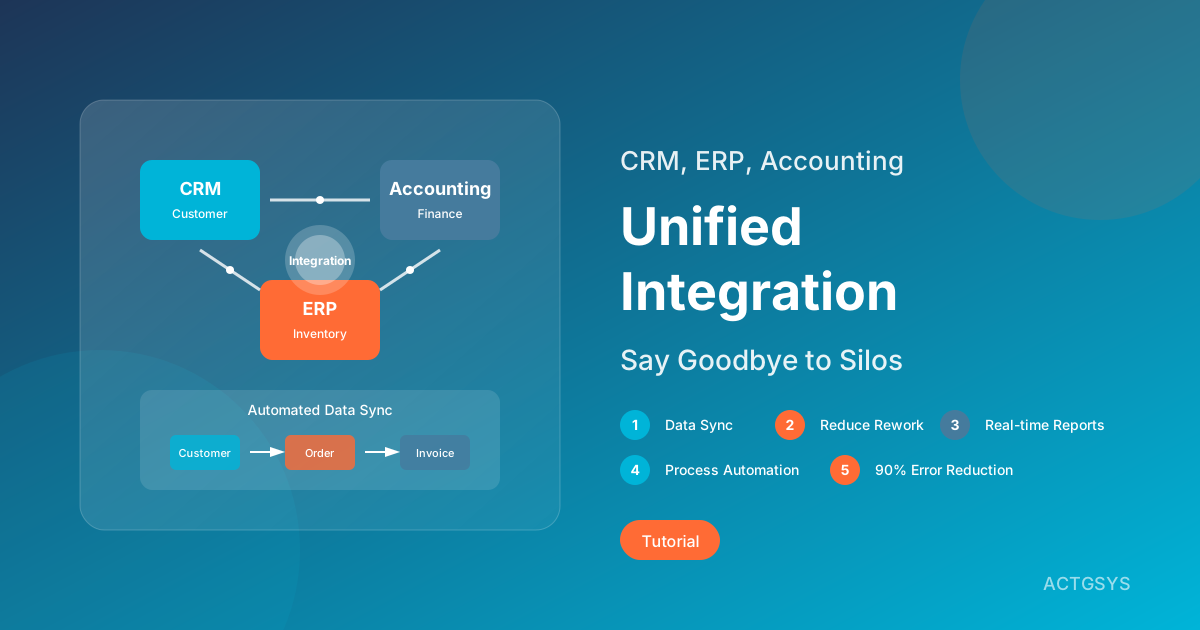
Many SMEs simultaneously use CRM to manage customers, ERP to handle inventory, and separate accounting software for bookkeeping, only to find these systems don't communicate with each other. Data must be manually re-entered, reports require manual consolidation, resulting in low efficiency and frequent errors. This is the "information silos" problem. This guide will help you understand how to integrate these three major systems to achieve true unified management.
What are Information Silos? Why Are They a Pain Point?
Definition of Information Silos
Information Silos refer to the state where enterprise systems operate independently, preventing automatic data flow:
┌─────────┐    ┌─────────┐    ┌─────────┐
│   CRM   │    │   ERP   │    │Accounting│
│Customer │    │Inventory│    │ Booking  │
└────┬────┘    └────┬────┘    └────┬────┘
     │              │              │
     ▼              ▼              ▼
Customer Data   Orders/Stock   Financial Data
     │              │              │
     └──────────────┼──────────────┘
                    │
            ❌ Data Disconnected ❌
7 Major Pain Points of Information Silos
| Pain Point | Impact | Real Example |
|---|---|---|
| Duplicate Entry | Wastes significant manpower | Same order must be entered 3 times in 3 systems |
| Data Inconsistency | Report contradictions | CRM shows $100K deal, accounting only records $80K |
| Decision Delays | Can't see full picture in real-time | Wait until month-end for manual consolidation to know true performance |
| Frequent Errors | Manual work prone to mistakes | Input errors lead to shipping or accounting issues |
| Poor Customer Experience | Internal information out of sync | Customer inquires order status, sales and service give different answers |
| Difficult Scaling | Systems can't support growth | Business volume increases, workload multiplies |
| Employee Frustration | Repetitive work lowers satisfaction | Talented staff spend time on data transfer instead of creating value |
Real Scenario: Processing One Order
Before Integration (takes ~45 minutes):
- Sales records customer needs in CRM → Manual
- Sales prepares quote for customer → Manual Excel export
- After customer confirms, create order in ERP → Re-enter
- After shipping, update inventory in ERP → Manual
- Finance issues invoice in accounting system → Re-enter
- After payment received, reconcile in accounting system → Manual matching
- Return to CRM to update customer status → Manual
After Integration (takes ~5 minutes):
- Sales creates quote in CRM → Automatic
- Customer confirms, one-click convert to order in ERP → Automatic
- Shipping, inventory, invoice, customer status → All auto-updated
Benefits: Save 40 minutes per order, 90% error reduction
Roles and Data Flow of CRM, ERP, and Accounting Systems
Core Responsibilities of the Three Systems
| System | Core Responsibility | Primary Data | Users |
|---|---|---|---|
| CRM | Customer Relationship Management | Customers, Contacts, Opportunities, Interaction Records | Sales, Marketing, Service |
| ERP | Enterprise Resource Planning | Orders, Inventory, Purchasing, Production | Operations, Warehouse, Procurement |
| Accounting | Financial Management | Invoices, Receivables/Payables, General Ledger, Reports | Finance, Accounting |
Ideal Data Flow
┌─────────────────────────────────────────────────────────────┐
│                      Complete Data Flow                      │
└─────────────────────────────────────────────────────────────┘

   CRM                    ERP                   Accounting
┌─────────┐          ┌─────────┐          ┌─────────┐
│Opportunity ────────▶ Quote   │          │         │
│         │          │   │     │          │         │
│  Deal  ────────────▶ Order  ────────────▶Receivable│
│         │          │   │     │          │    │    │
│         │          │Shipping────────────▶Invoice  │
│         │          │   │     │          │    │    │
│Customer◀──────────── Payment◀─────────── Reconcile│
│ Status  │          │   │     │          │    │    │
│ Update  │          │Inventory───────────▶  Cost   │
└─────────┘          └─────────┘          └─────────┘
Key Data Synchronization Points
| Sync Point | Source System | Target System | Sync Data |
|---|---|---|---|
| Customer Creation | CRM | ERP, Accounting | Customer name, Tax ID, Address, Contact |
| Order Created | CRM→ERP | ERP | Product, Quantity, Price, Delivery |
| Shipping Complete | ERP | CRM, Accounting | Ship date, Actual quantity |
| Invoice Issued | Accounting | CRM, ERP | Invoice number, Amount |
| Payment Confirmed | Accounting | CRM, ERP | Payment date, Amount |
3 Integration Methods
Method 1: Direct API Integration
Principle: Direct data exchange through APIs provided by each system
┌─────────┐    API     ┌─────────┐    API     ┌─────────┐
│   CRM   │◀─────────▶│   ERP   │◀─────────▶│Accounting│
└─────────┘           └─────────┘           └─────────┘
Pros:
- Real-time sync (millisecond level)
- No third-party tools needed
- High customization flexibility
Cons:
- Requires development capability
- Each system pair needs separate development
- Maintenance cost increases with system count
Suitable For:
- Few systems (2-3)
- In-house development team
- Highly customized needs
Cost Estimate: $3,000-15,000 USD per integration pair
Method 2: Middleware/iPaaS
Principle: Connect systems via third-party integration platforms
┌─────────┐         ┌────────────┐         ┌─────────┐
│   CRM   │◀───────▶│            │◀───────▶│   ERP   │
└─────────┘         │   iPaaS    │         └─────────┘
                    │ Integration│
┌─────────┐         │  Platform  │         ┌─────────┐
│Accounting│◀───────▶│(Zapier,etc)│◀───────▶│Other Sys│
└─────────┘         └────────────┘         └─────────┘
Common iPaaS Platforms:
- Zapier (Entry-level, no-code)
- Make (formerly Integromat, intermediate)
- Workato (Enterprise-level)
- n8n (Open-source, self-hosted)
Pros:
- Quick deployment (live within days)
- Pre-built connectors reduce development
- Visual flow design
- Low maintenance cost
Cons:
- Ongoing monthly subscription fees
- Complex logic may be limited
- Possible performance delays
Suitable For:
- Using mainstream SaaS systems
- No development resources
- Quick launch needed
Cost Estimate: $15-150 USD/month (usage-based)
Method 3: Native Integration/All-in-One Platform
Principle: Choose system suites with built-in integration
┌─────────────────────────────────────────┐
│           All-in-One Platform            │
│  ┌─────────┬─────────┬─────────┐       │
│  │   CRM   │   ERP   │Accounting│       │
│  └─────────┴─────────┴─────────┘       │
│       Shared Database, Native Integration│
└─────────────────────────────────────────┘
Common All-in-One Platforms:
- Odoo (CRM + ERP + Accounting)
- Zoho One (Complete business suite)
- Microsoft Dynamics 365
- ACTGSYS (DanLee CRM + Dinkoko ERP + TanJee Accounting)
Pros:
- Zero integration cost
- Real-time data sync
- Unified user interface
- Single vendor support
Cons:
- May require complete system replacement
- Individual features may not match specialized products
- Vendor lock-in risk
Suitable For:
- Startups building from scratch
- Ready to replace legacy systems
- Seeking simple unified management
Cost Estimate: Varies by platform, typically 20-40% cheaper than separate purchases
Integration Methods Comparison Overview
| Evaluation Item | Direct API | Middleware (iPaaS) | Native Integration |
|---|---|---|---|
| Upfront Cost | High | Low | Medium |
| Ongoing Cost | Medium | Medium | Low |
| Deployment Time | 1-3 months | 1-2 weeks | Depends on migration complexity |
| Technical Barrier | High | Low | Low |
| Customization Flexibility | High | Medium | Low |
| Real-time Capability | Real-time | Near real-time | Real-time |
| Maintenance Difficulty | High | Low | Low |
| Suitable For | With IT team | SMEs | New/Rebuild |
5 Major Benefits of System Integration
Benefit 1: Reduce Duplicate Entry
Quantified Benefits:
- Save 30-45 minutes input time per order
- 200 orders per month = save 100-150 hours monthly
- At $15/hour = save $1,500-2,250 monthly
- Annual savings: $18,000-27,000
Benefit 2: Data Consistency
Real Case:
- Before integration: Month-end reconciliation takes 3 days, often find 5-10% discrepancies
- After integration: Real-time reconciliation, discrepancy rate below 0.5%
Benefit 3: Real-time Visibility
Decision Acceleration:
- Sales instantly see customer payment status
- Finance instantly access sales forecasts
- Management view complete operational data anytime
Benefit 4: Process Automation
Automation Scenarios:
| Trigger Event | Automated Action |
|---|---|
| CRM Deal Closed | ERP creates order + notify warehouse |
| ERP Shipment | Accounting issues invoice + CRM updates status |
| Accounting Payment | CRM marks paid + ERP releases credit limit |
| Inventory below safety level | Auto-create purchase order + notify procurement |
Benefit 5: Scalability
Growth Support:
- 2x business volume increase, no need to add data processing staff
- New product lines or locations, system quickly replicates
- Easier data integration during mergers and acquisitions
Implementation Steps
Step 1: Current State Assessment (1-2 weeks)
Inventory Items:
- List of existing systems and versions
- Field mapping across systems
- Documentation of current manual processes
- Data volume and frequency statistics
Deliverable: Current state report, data dictionary
Step 2: Requirements Definition (1-2 weeks)
Items to Confirm:
- Priority processes to integrate
- Data sync frequency (real-time/scheduled)
- Exception handling rules
- Security and permission requirements
Deliverable: Integration requirements specification
Step 3: Solution Selection (1 week)
Evaluation Points:
- Current system API support level
- Internal technical capabilities
- Budget and timeline
- Long-term maintenance considerations
Deliverable: Integration solution recommendation
Step 4: Development/Configuration (2-8 weeks)
Based on Chosen Approach:
- API Integration: Develop, test, deploy
- iPaaS: Configure flows, test, optimize
- Native Integration: Data migration, system cutover
Deliverable: Integrated systems
Step 5: Testing & Validation (1-2 weeks)
Testing Scope:
- Unit testing: Individual sync points
- Integration testing: Complete workflows
- Stress testing: High-load scenarios
- User acceptance testing
Deliverable: Test report, issue fixes
Step 6: Go-Live & Monitoring (Ongoing)
Go-Live Strategy:
- Parallel operation period (old and new systems side-by-side)
- Gradual cutover (phased by department/process)
- Complete switchover
Monitoring Items:
- Sync success rate
- Data delay time
- Error notifications and handling
Frequently Asked Questions
Q1: Must I hire external vendors for integration?
Depends on the situation:
- Self-service: Use no-code tools like Zapier/Make
- Recommend outsourcing: API development, complex logic handling
- Recommend consulting: Overall planning, system selection
Q2: What if current systems don't support APIs?
Alternative solutions:
- Ask vendor if paid API modules available
- Use RPA (Robotic Process Automation) to simulate manual operations
- Direct database access (assess risks)
- Consider replacing with integration-ready systems
Q3: How to ensure data security?
Essential security measures:
- Transmission encryption (HTTPS/TLS)
- API key management (regular rotation)
- Access control (principle of least privilege)
- Change logging (audit trail)
Q4: How to handle errors after integration?
Recommended mechanisms:
- Error notification: Real-time email/messaging alerts
- Auto-retry: Automatic retry for temporary errors
- Manual intervention: Escalate persistent failures
- Rollback mechanism: Restore for critical errors
Q5: How long to recover investment?
Depends on integration scale:
- Small integration (iPaaS): 1-3 months
- Medium integration (API): 3-6 months
- Large integration (Complete overhaul): 6-12 months
Conclusion: Integration is the Foundation of Digital Transformation
Information silos are the biggest bottleneck in SME digitalization. Before considering advanced technologies like AI and big data, get the basic system integration right to unlock the true value of data.
Remember these key principles:
- Start from pain points: Prioritize the most impactful integration needs
- Iterative approach: Don't need everything at once, implement in phases
- Choose the right solution: Based on your technical capabilities and budget
- Continuous optimization: Integration isn't a project, it's an ongoing process
When CRM, ERP, and accounting systems can work seamlessly together, your enterprise has the foundation for data-driven decision making. This is the true starting point of digital transformation.
Want to achieve integrated CRM, ERP, and accounting systems?
ACTGSYS offers DanLee CRM, Dinkoko ERP, and TanJee Accounting as a complete solution with native integration design, solving your information silos problem in one go.
Related Articles
No-Code/Low-Code Platforms 2026: The Complete SME Automation Guide
Comprehensive analysis of 2026 No-Code/Low-Code market trends, covering Citizen Developers, AI-assisted development, and platform selection to help SMEs achieve rapid business automation.
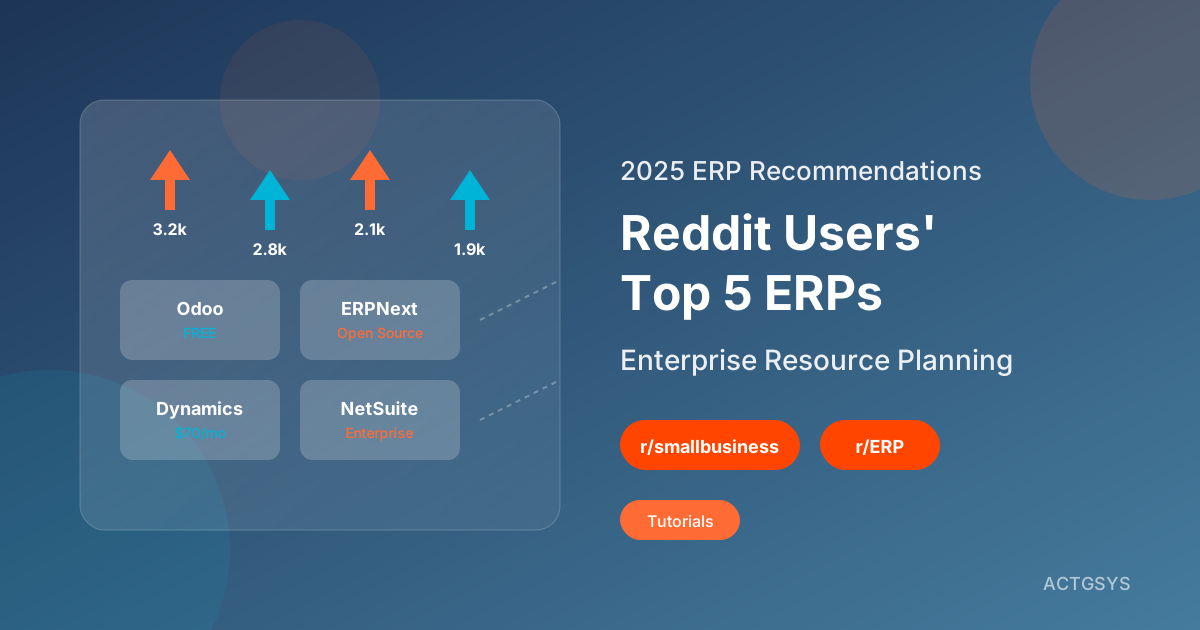
2025 ERP Software Recommendations: Reddit Users' Top 5 Enterprise Resource Planning Systems
Curated from Reddit r/smallbusiness and r/ERP community discussions, comparing Odoo, ERPNext, NetSuite and other ERP systems' pros and cons. Learn from real user reviews to find the best inventory and business management solution for SMEs.
What is ERP? Complete Guide to Inventory Management Systems for SMEs
A comprehensive guide to ERP enterprise resource planning systems: from basic inventory management functions to implementation best practices. Learn how to select the right ERP system for your business and optimize inventory and order management.